
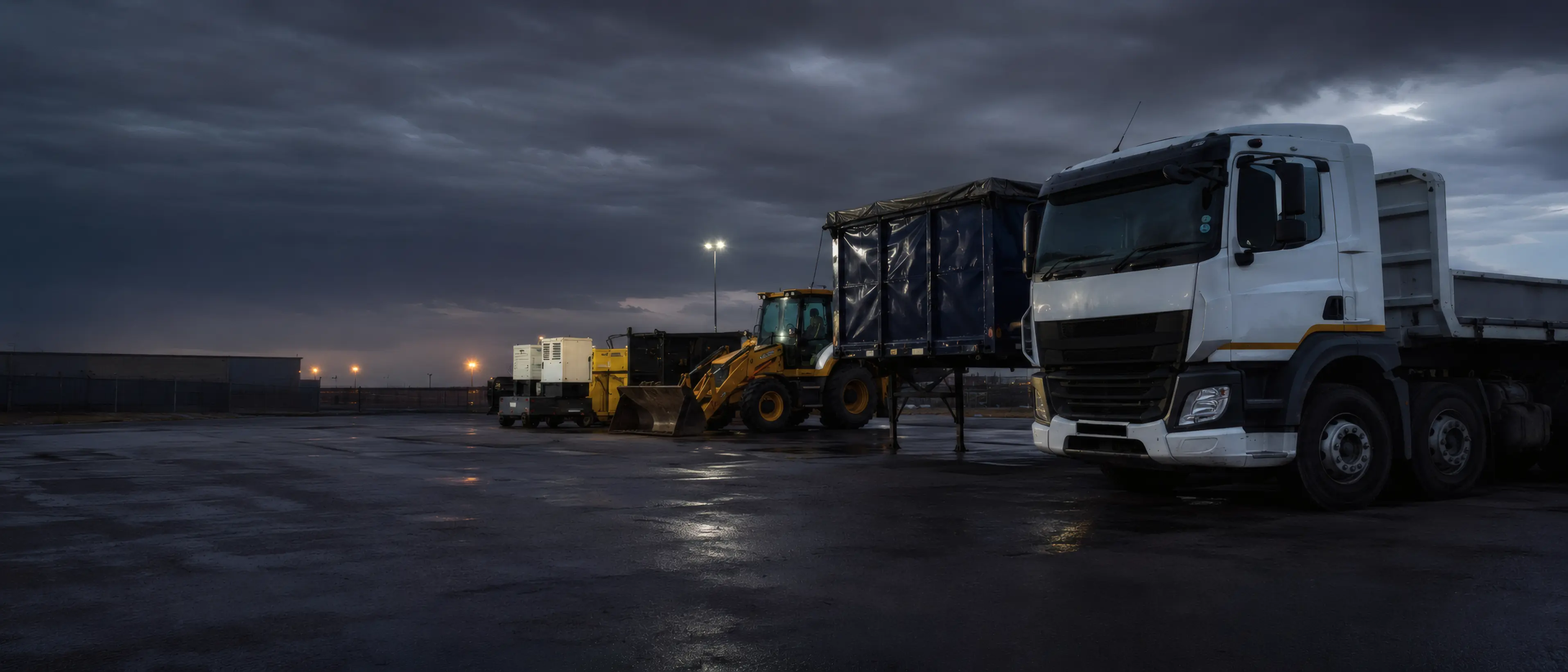
Fleet & equipment management software for South African operations
Run your vehicles, machines, trailers and plant in one system.
Schedule work, track utilisation, manage compliance and service intervals, and keep each unit’s operational history in one place.
Built for South African transport, construction, plant hire, trailer hire and mixed-fleet operations.
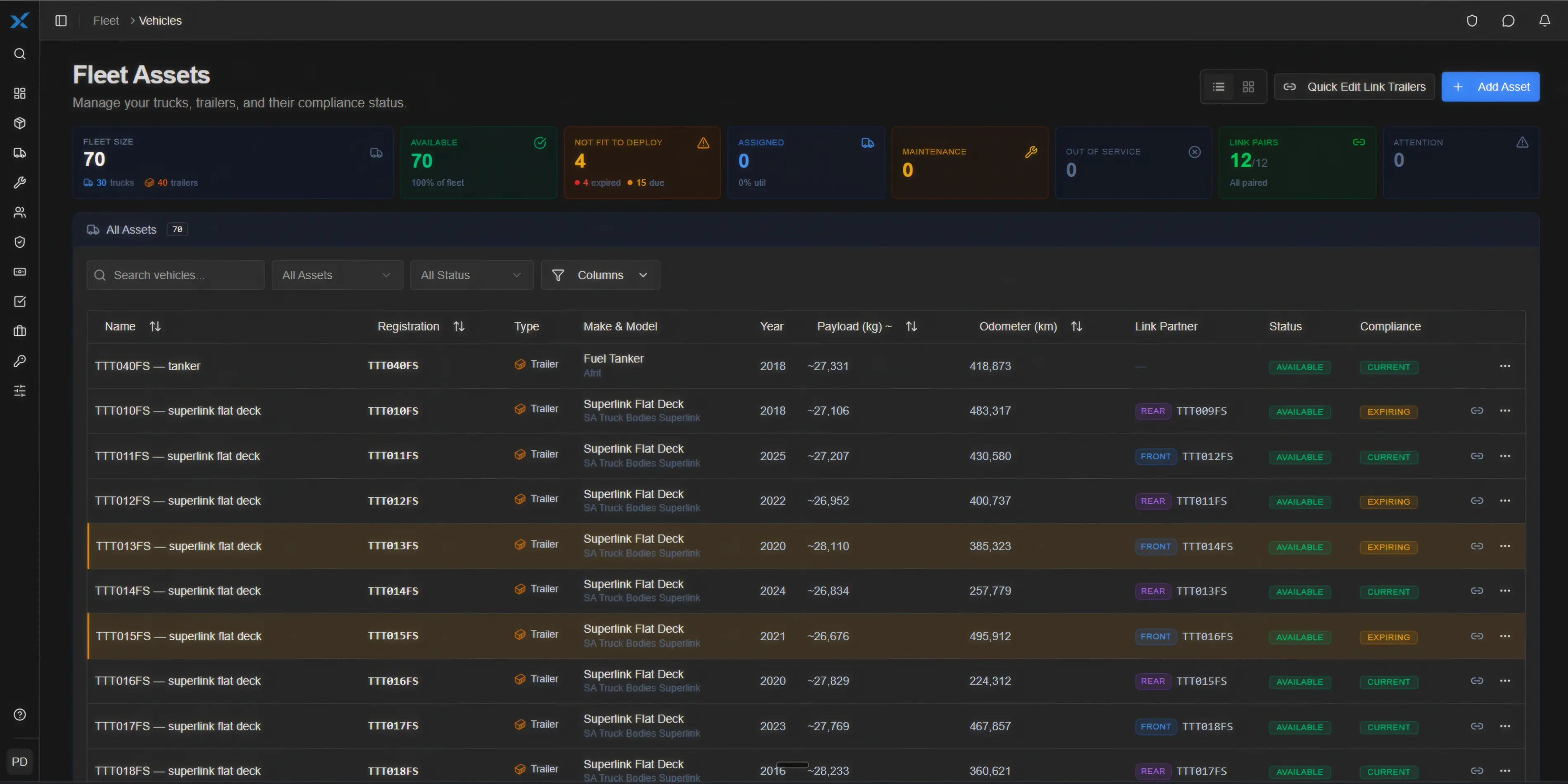
One register for every unit you manage.
RasWorx TFMS manages vehicles, trailers, machines and plant as separate operational records. Each can have its own schedule, utilisation, compliance dates, inspections and service intervals, so a mixed fleet can run from one system.
Built for
Transport & Logistics · Construction & Civil · Plant Hire · Trailer Hire · Mixed Fleets
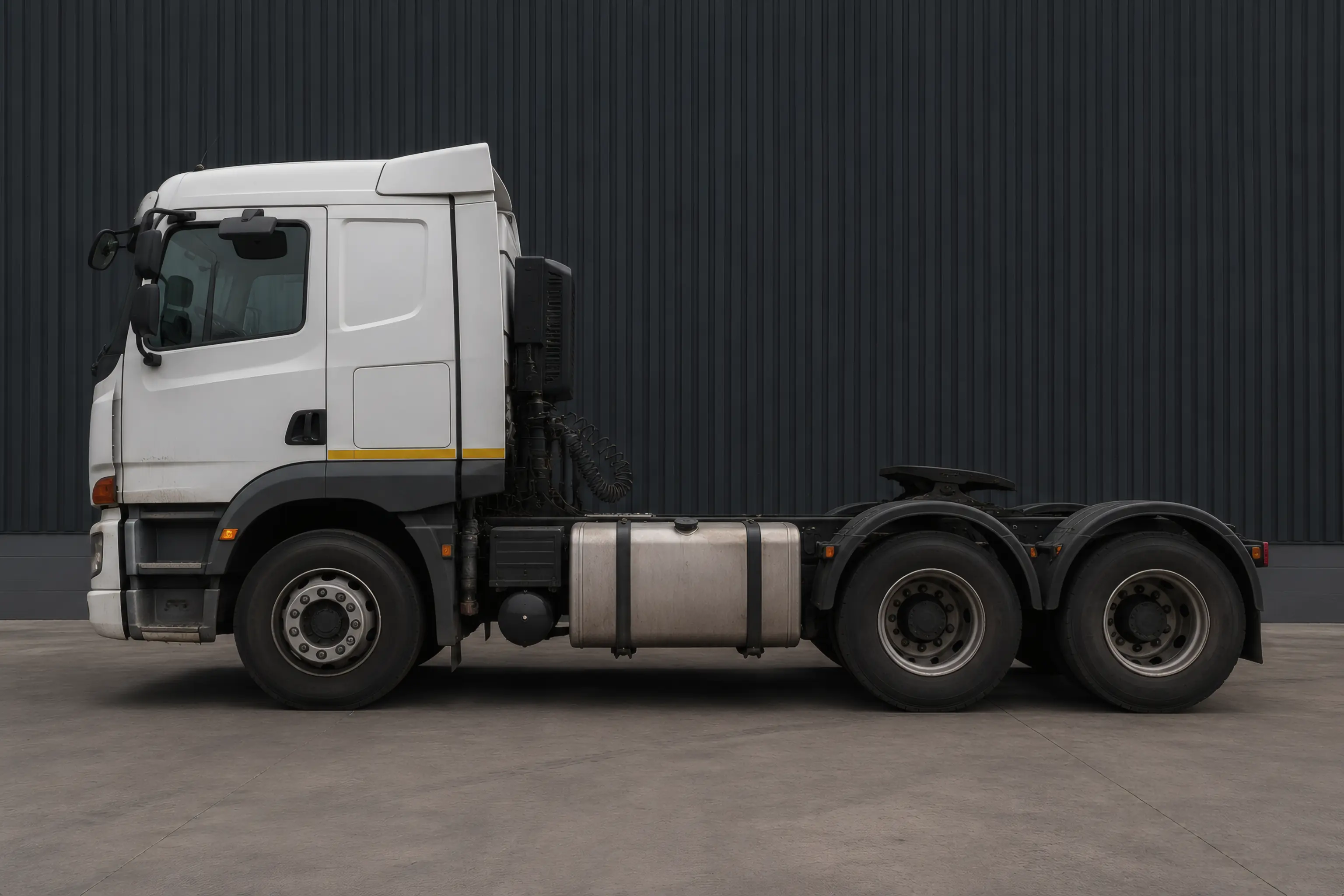
Road vehicles
Truck tractors, rigids, tippers, water trucks, tankers, bakkies and service vehicles. Track kilometres, servicing, licences, roadworthy dates and driver or operator assignments.
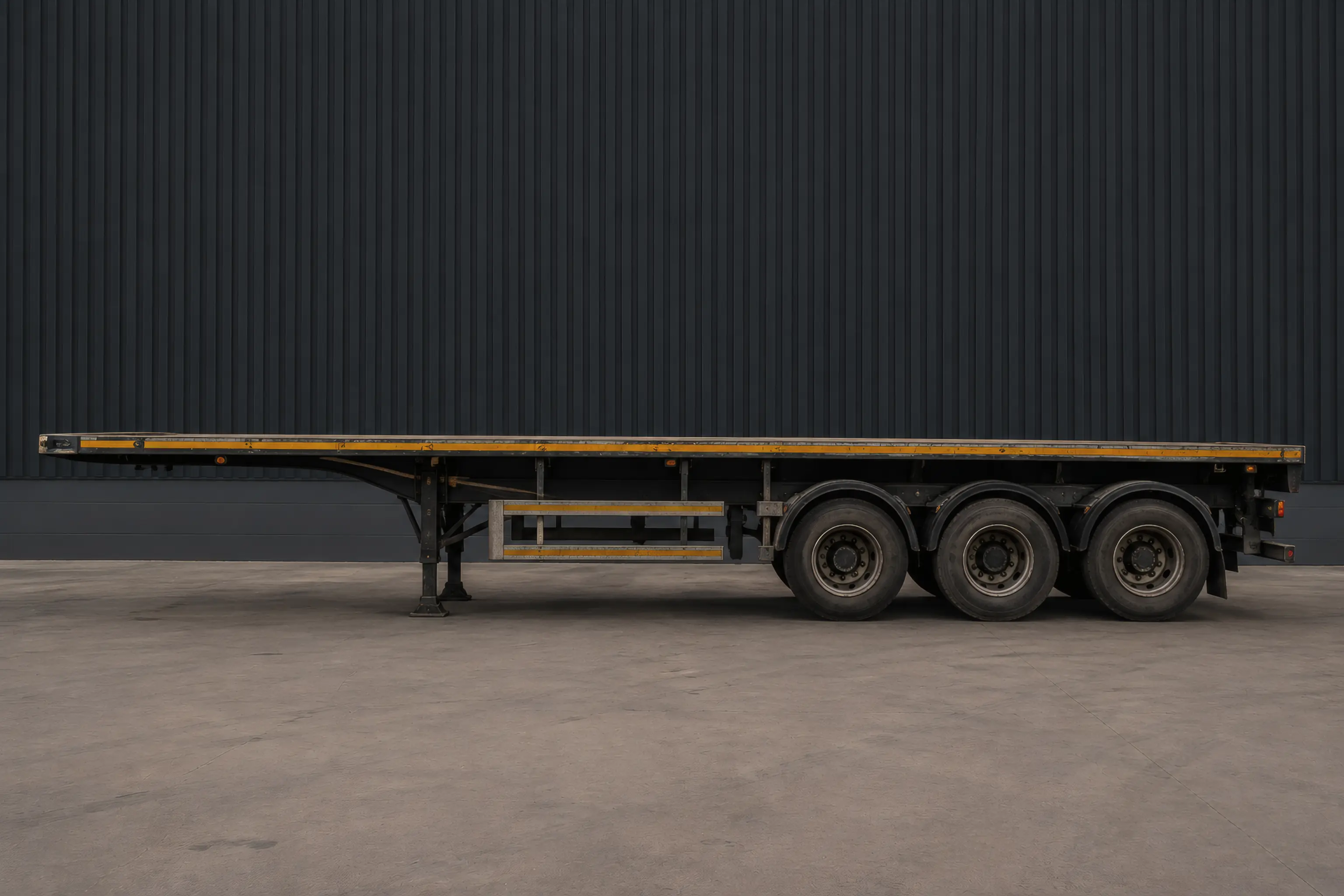
Trailers
Superlinks, tautliners, tankers, tippers, flat decks, plant trailers and smaller hire trailers. Each trailer can carry its own registration, licence, tracking, inspections, utilisation and service history.
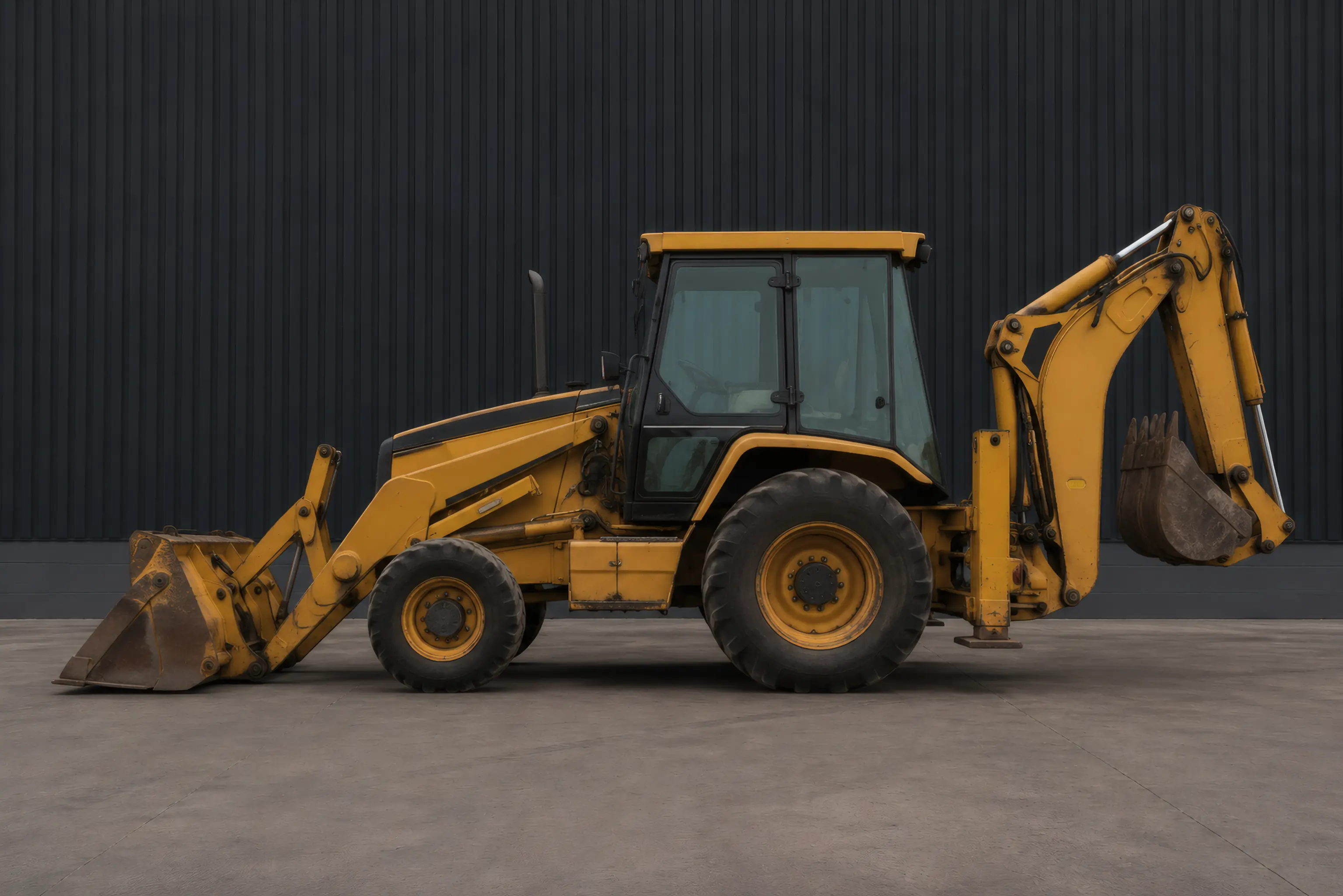
Construction equipment
TLBs, excavators, loaders, graders and other yellow machines. Track running hours, allocation, inspections and service intervals against the machine itself.
Plant & support equipment
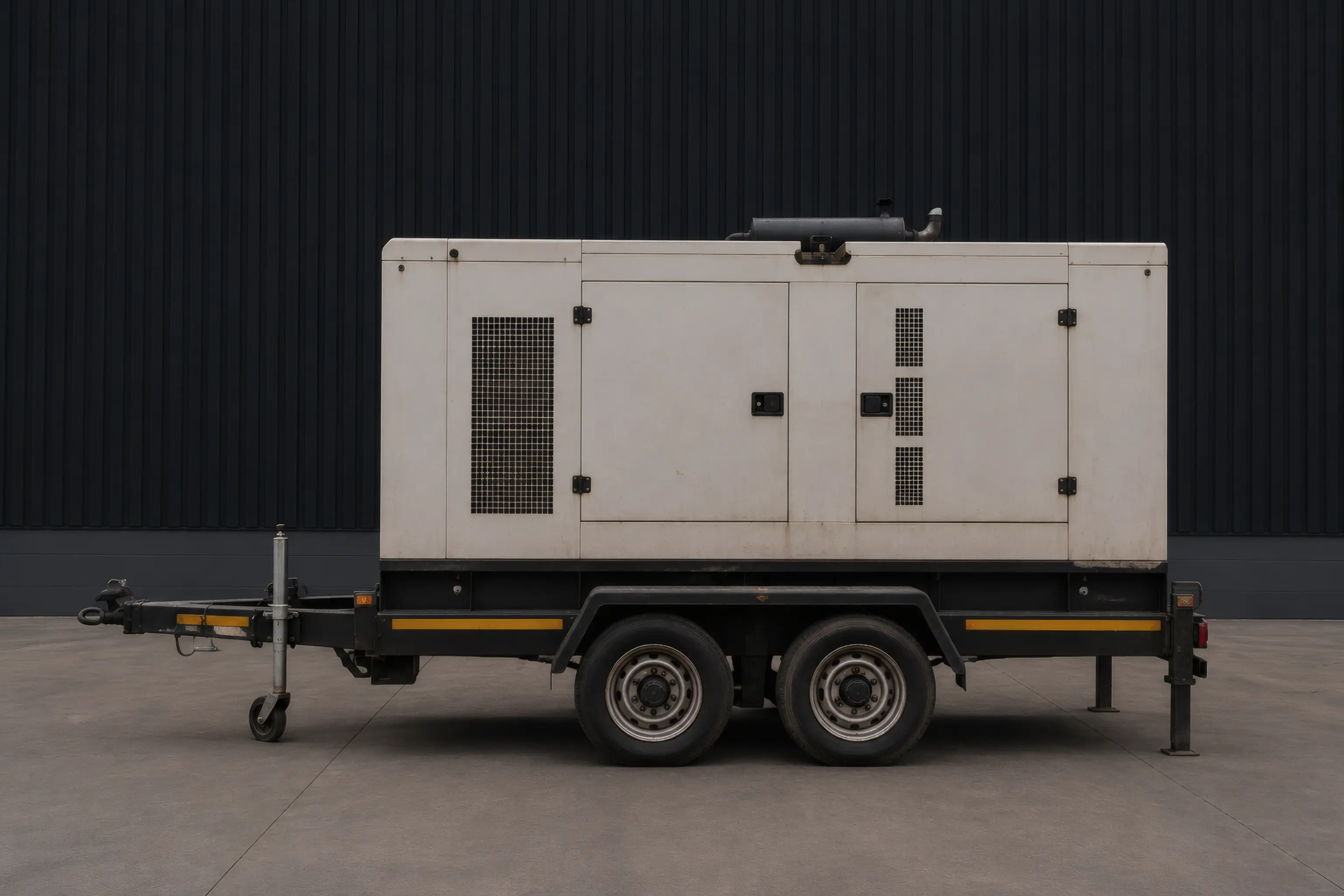
Gensets, forklifts, compressors, pumps, water bowsers and site equipment. Schedule, allocate, inspect and maintain them alongside the rest of the operation.
- TTC001FS, Truck-tractor · Volvo FH 440. Bloemfontein → Kimberley, 05:00 to 12:00. Kimberley → Bloemfontein, 13:00 to 20:00.
- TTC004FS, Truck-tractor · Scania R500. Botshabelo → Gqeberha, 06:00 to 14:00.
- TTC007FS, Truck-tractor · Mercedes Actros 2645. Bloemfontein → Durban, 09:00 to 23:00.
- TTC009FS, Truck-tractor · UD Quon CGE. Bloemfontein → Kroonstad, 12:00 to 22:00. Driver PrDP expires 19 Aug.
- TTT010FS, Trailer · Superlink flat deck. Loaded — structural steel, 05:00 to 12:00. Return — empty, 14:00 to 21:00. Licence expires in 11 days.
- TTT040FS, Trailer · Afrit fuel tanker. Bloemfontein → Welkom, 08:00 to 18:00.
- TTT023FS, Trailer · Tautliner. Offload — Hamilton, 05:00 to 10:00.
- TTT031FS, Trailer · Side tipper. Quarry shuttle — Petrusburg, 08:00 to 17:00.
- YMB012FS, Yellow machine · Bell 315SK TLB. Depot yard — loading, 07:00 to 11:00. Site — N8 culvert, 15:00 to 19:00.
- YME003FS, Yellow machine · CAT 320 excavator. Site — Thaba Nchu, 07:00 to 21:00.
- UTL006FS, Plant · 45 kVA generator. Workshop — 500 hr service, 11:00 to 17:00. 500-hour service due.
- UTL002FS, Utility · Toyota Hilux 2.8 GD-6. Site run — Bainsvlei, 06:00 to 10:00. Parts collection, 11:00 to 15:00.
One register, grouped by class. Twelve assets, 05:00–23:00 SAST. Demonstration data.
See unused capacity while you can still act on it.
Utilisation should not be something you discover at month-end. The same timeline shows where vehicles, machines and trailers are standing without allocated work, while there is still time to use that capacity.
- TTC001FS, Truck-tractor · Volvo FH 440. 1 h standing, 12:00 to 13:00. 3 h standing, 20:00 to 23:00.
- TTT010FS, Trailer · Superlink flat deck. 2 h standing, 12:00 to 14:00. 2 h standing, 21:00 to 23:00.
- TTC004FS, Truck-tractor · Scania R500. 1 h standing, 05:00 to 06:00. 9 h standing, 14:00 to 23:00.
- YMB012FS, Yellow machine · Bell 315SK TLB. 2 h standing, 05:00 to 07:00. 4 h standing, 11:00 to 15:00. 4 h standing, 19:00 to 23:00.
- TTT040FS, Trailer · Afrit fuel tanker. 3 h standing, 05:00 to 08:00. 5 h standing, 18:00 to 23:00.
- TTC007FS, Truck-tractor · Mercedes Actros 2645. 4 h standing, 05:00 to 09:00.
- UTL006FS, Plant · 45 kVA generator. 6 h standing, 05:00 to 11:00. 6 h standing, 17:00 to 23:00.
- TTT023FS, Trailer · Tautliner. 13 h standing, 10:00 to 23:00.
- YME003FS, Yellow machine · CAT 320 excavator. 2 h standing, 05:00 to 07:00. 2 h standing, 21:00 to 23:00.
- TTC009FS, Truck-tractor · UD Quon CGE. 7 h standing, 05:00 to 12:00. 1 h standing, 22:00 to 23:00.
- TTT031FS, Trailer · Side tipper. 3 h standing, 05:00 to 08:00. 6 h standing, 17:00 to 23:00.
- UTL002FS, Utility · Toyota Hilux 2.8 GD-6. 1 h standing, 05:00 to 06:00. 1 h standing, 10:00 to 11:00. 8 h standing, 15:00 to 23:00.
96 unallocated hours out of 216. Demonstration data.
For transport operations
Use the deck space you still have available.
Part loads use real deck allocation instead of a note in a comment field. Allocate available deck space by client and see what remains before another load is booked. When clients share a load, each share can invoice separately and the delivery updates both.
Every unit has something due.
Licences, roadworthies, PrDPs, medical certificates, permits, insurance and service intervals all run on different clocks. Some count down in days, some in kilometres and some in running hours. RasWorx keeps them against the vehicle, machine, driver or organisation they belong to and brings the next one due to the top.
See what is due before it stops a trip, machine or job.

Demonstration data. Expiring items are ordered by how little time is left, in whichever unit that clock is measured.
Schedule work without double-booking resources.
The scheduler shows the week across your active resources. Move work by dragging or resizing it, and RasWorx checks the constraints before the change is accepted.
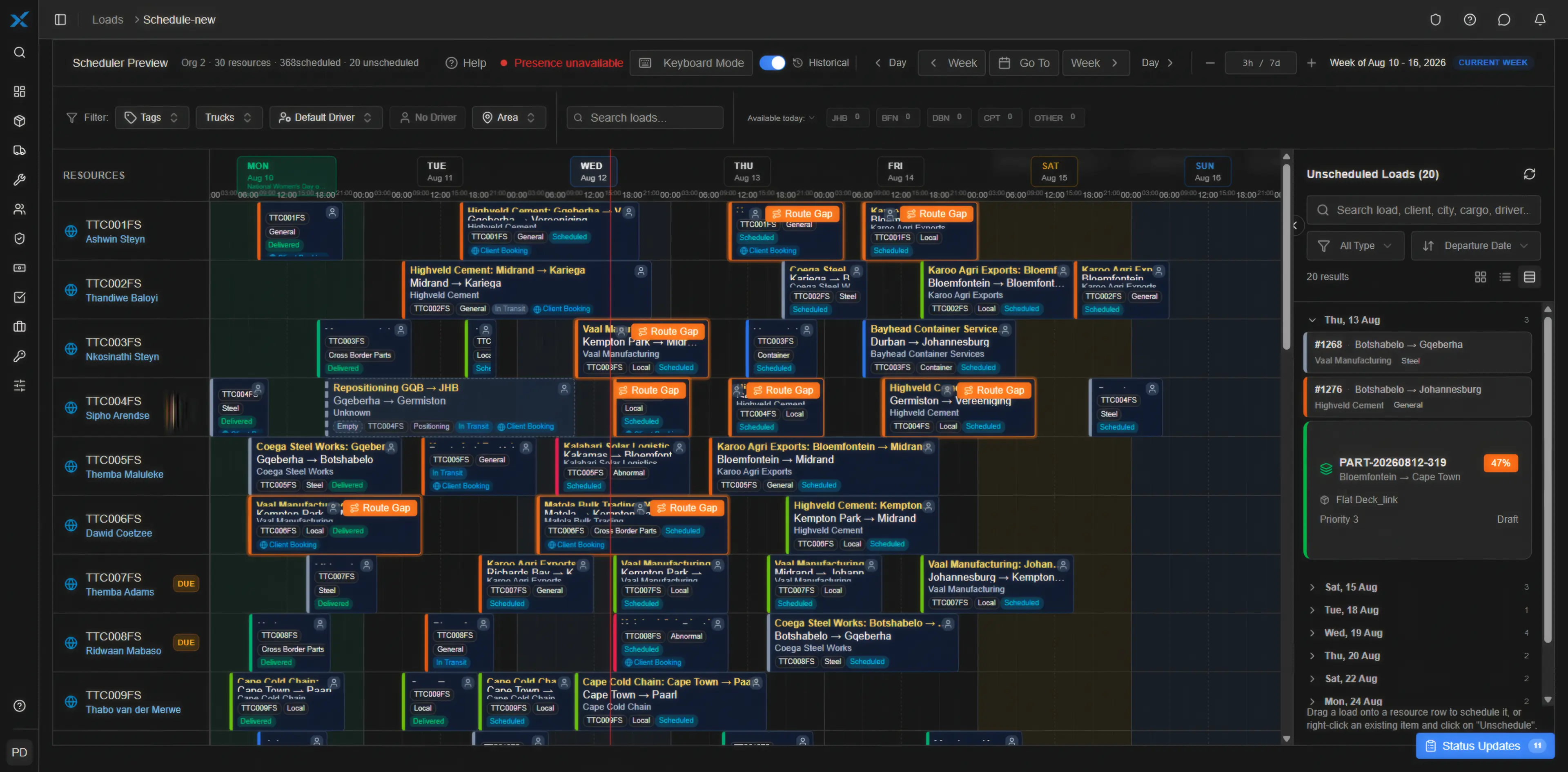
Double-bookings are blocked before they are saved
Two loads cannot use the same resource at the same time. RasWorx enforces the rule whether the booking comes from the scheduler, a portal or an import.
Route gaps surface while they are still fixable
Where one load ends far from where the next begins, the card says so on the board. A repositioning leg you can see on Monday is a repositioning leg you can sell.
A load can be split across legs
One load, more than one truck and driver, each leg assigned and tracked separately — with the same drag, resize and live-update behaviour as any other load on the board.
For transport control rooms
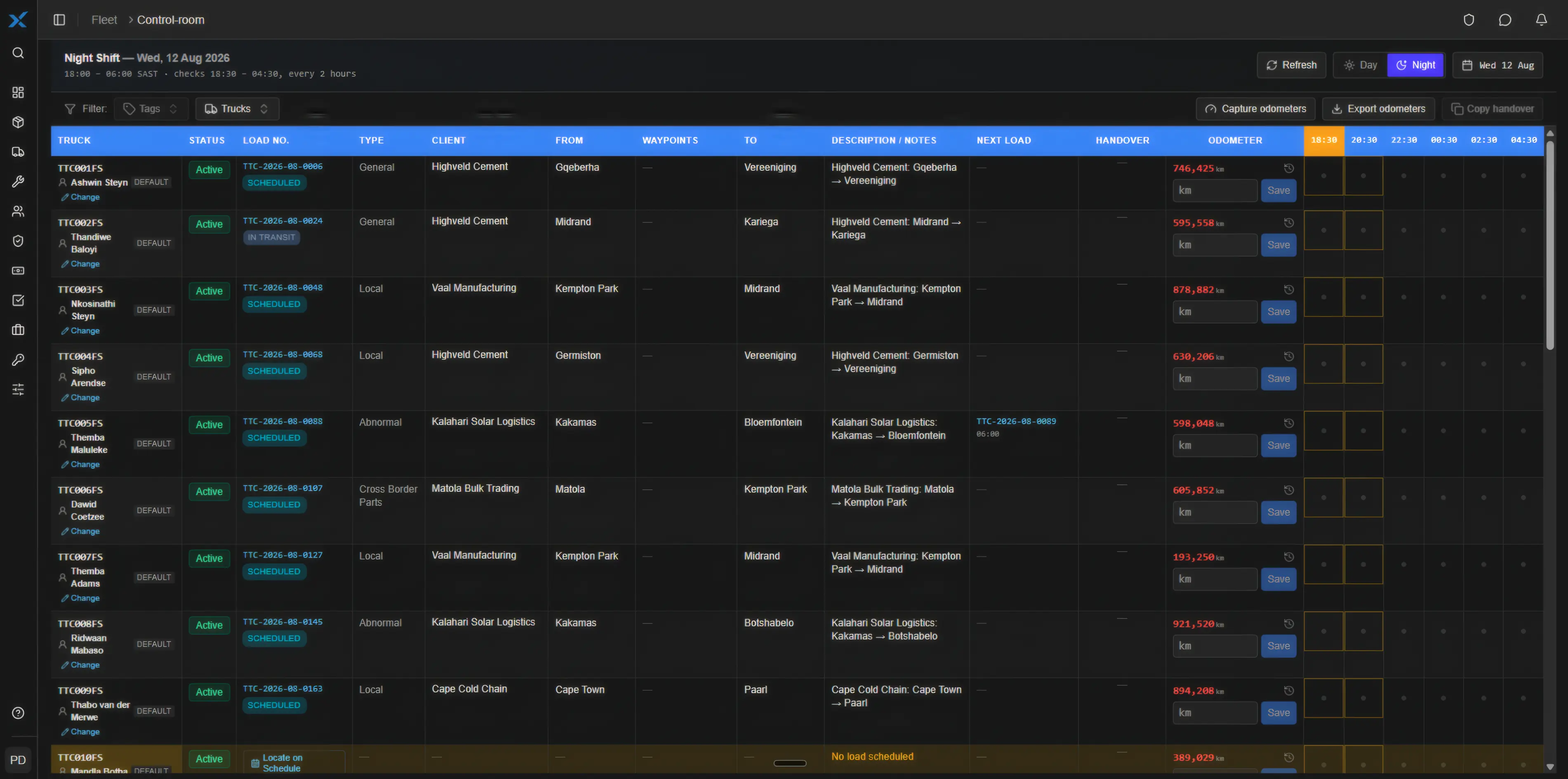
Keep night-shift checks on one control grid.
Every active truck gets a row and every two hours gets a check window. Future windows stay locked. Missed windows show as skipped, with a fifteen-minute grace period at the boundary.
Odometers are captured once per night, anomalies are flagged on entry, and the handover can be copied as plain text for the group chat the team already uses.
Pricing built around your operation.
Unlimited users. No setup fees. No feature tiers — every plan runs the complete platform. Pick the plan sized for your fleet, then add extra units only as your operation grows.
Every plan includes the full platform — scheduling, loads and trips, workshop and maintenance, inspections, compliance, GPS tracking, driver management and reporting. Plans differ only in how many Managed Units are included, and Fleet Command adds your dedicated AI assistant.
Work out your exact monthly cost and email yourself a formal PDF quotation.
Fleet Core
R1,950per month excl. VAT
Full platform included
The full platform, sized for smaller operations. Grow by adding units — never by unlocking features.
Managed Units included
- Powered Units5
- Connected Non-Powered Units5
- Standard Non-Powered Units10
Fleet Pro
Most popularR3,950per month excl. VAT
Full platform included
The full platform with a bigger Managed Unit bundle for growing mixed fleets.
Managed Units included
- Powered Units10
- Connected Non-Powered Units10
- Standard Non-Powered Units15
Fleet Command
AI includedR7,950per month excl. VAT
Full platform included
The full platform at scale, plus a dedicated AI assistant working for your company around the clock.
Managed Units included
- Powered Units15
- Connected Non-Powered Units15
- Standard Non-Powered Units20
Only on Fleet Command
- Dedicated AI executive assistant on WhatsApp, Telegram and email
- On-demand and scheduled management briefs for directors and managers
- AI fleet controller: acts on tracking alerts, client ETAs and risk events
- Appointment bookings, reminders and to-do management
- Dedicated to your company — sees only the data you grant it
Extra Managed Units
Outgrow your plan's included bundle? Add extra units at one flat rate per classification — the same rate on every plan.
Powered Unit
R250per extra unit / month excl. VAT
Powered vehicles, machinery and plant managed by trip, job, hours, tracking or service schedule.
Trucks · TLBs · Excavators · Loaders · Bakkies · Gensets
Connected Non-Powered Unit
R225per extra unit / month excl. VAT
Trailers, containers and equipment with GPS, IoT or other live tracking.
GPS trailers · Tracked containers · Bowsers · Mobile equipment
Standard Non-Powered Unit
R175per extra unit / month excl. VAT
Non-powered equipment managed for scheduling, allocation, inspections, maintenance or servicing.
Trailers · Plant trailers · Bowsers · Site equipment
See a pricing example
Example mixed fleet
- Fleet Pro platform — includes 10 powered, 10 connected and 15 standard unitsR3,950
- 4 extra Powered Units — fleet runs 14: 10 trucks + 4 TLBsR1,000
- 2 extra Connected Non-Powered Units — fleet runs 12 GPS-tracked trailersR450
- Standard Non-Powered Units — 15 in fleet, all within the included bundleR0
Total per monthR5,400
All prices are monthly and exclude VAT. GPS hardware, tracking-provider subscriptions, SIM/data charges and third-party services are separate unless specifically included in your quotation.
We will work through your actual fleet mix and show you exactly how your Managed Units would be priced.
See it on your own fleet.
Tell us what you run and how you manage it. We will walk through RasWorx TFMS using your fleet mix, workflows and operational requirements.
No signup form, no card details. A person reads this and replies.
Or write to enquiries@rasworx.com.